Best AI Email Assistant for Small Business Teams in 2026
By Srivatsa · 2026-07-06
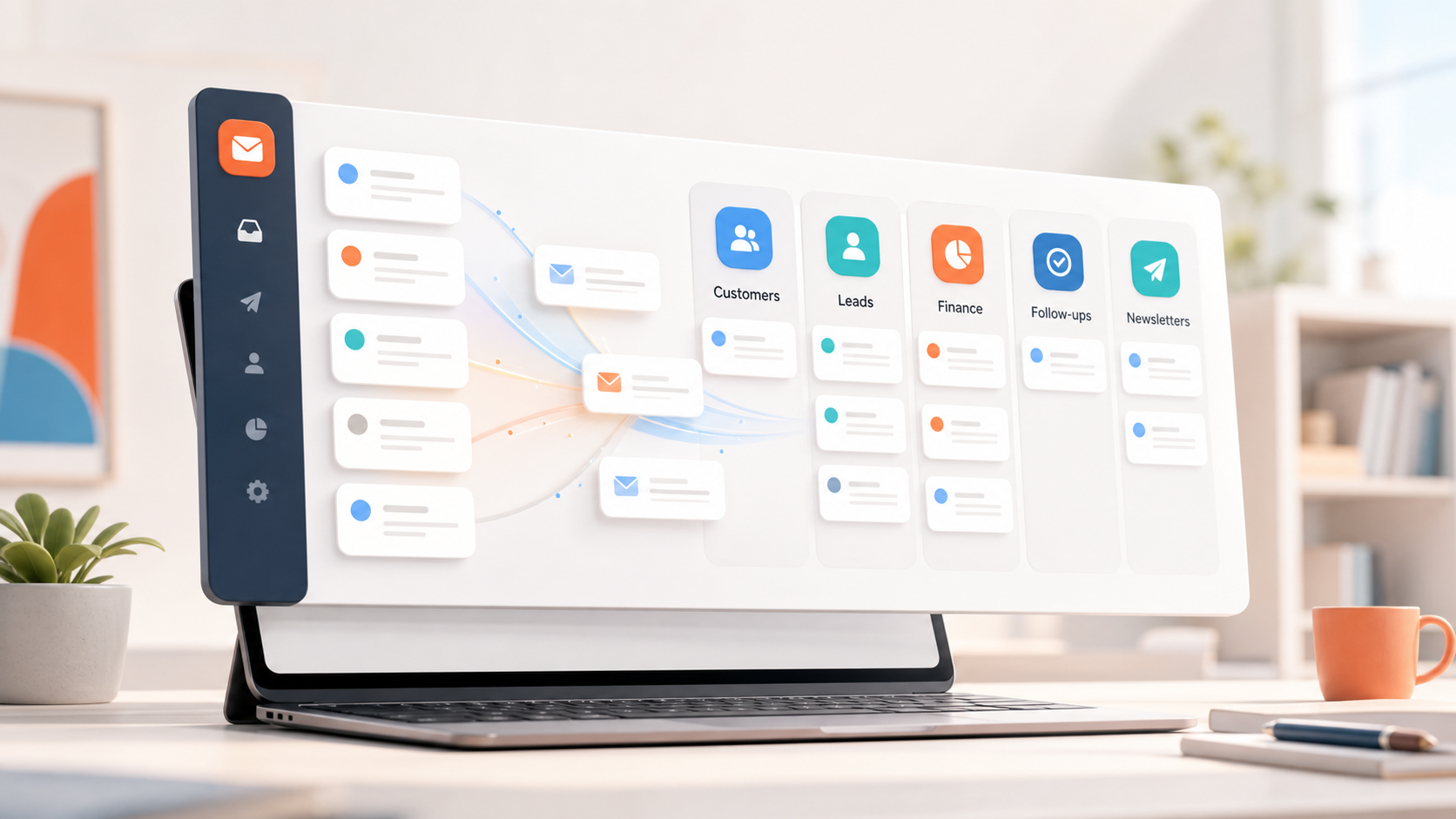
A practical guide to choosing an AI email assistant for small business teams that need cleaner triage, faster replies, summaries, and follow-ups across busy inboxes.
For teams supporting customers across more than one channel, email is only one part of coverage. If calls are part of the workload too, this AI phone answering system gives a practical comparison of phone-support options.
Small business email gets messy for a very specific reason: every important workflow lands in the same place.
A customer asks for help. A lead replies to a quote. A vendor sends an invoice. A teammate forwards a hiring thread. A founder gets a bank notice, a calendar update, and three newsletters in the same ten minutes.
That is why the best AI email assistant for a small business should not only write prettier replies. Writing help is useful, but it is usually not the biggest bottleneck. The bigger problem is knowing what needs attention, who should respond, what happened in the thread, and which conversations are quietly going stale.
This guide breaks down what to look for, what to avoid, and how to compare AI email assistants if your team runs on Gmail, Outlook, Zoho Mail, or a mix of accounts.
What a small business actually needs from AI email
Most AI email tools are marketed around speed. That sounds good, but "faster email" is too vague to be useful.
For a small business, the right AI email assistant should help with five concrete jobs:
- separating urgent customer and revenue email from low-value noise
- summarizing long threads before someone replies
- drafting replies from real conversation context
- keeping follow-ups visible
- supporting multiple inboxes without mixing account context
If a tool only helps you write an email from scratch, it may save a few minutes. If it helps you process the whole inbox workflow, it can change how the team works every day.
That is the difference between an AI writer and an AI inbox assistant.
The best AI email assistant is built around triage first
Small teams rarely lose time because one email is hard to write. They lose time because the inbox has no structure.
The founder checks everything because sales, support, operations, finance, and partnerships all land together. A teammate misses a customer thread because a newsletter pushed it down. A lead goes cold because nobody knew the last reply needed a follow-up.
AI triage fixes the starting point. A good assistant should identify categories like:
- customers
- leads
- urgent replies
- finance
- vendors
- internal updates
- newsletters
- follow-ups
Replyless is designed around this kind of workflow. Its AI email categorization and AI split inboxes help users separate crowded Gmail, Outlook, and Zoho Mail inboxes into focused views instead of forcing every message through one feed.
That matters because the first win is not automation. The first win is visibility.
Reply drafting should be reviewed, not fully trusted
AI email drafting is useful when it starts from the actual thread.
For a small business, generic reply generation is risky. Customer conversations need context. Sales replies need timing. Support responses need accuracy. Finance emails need care. A confident but wrong draft can create more work than it saves.
So the practical standard is simple: use AI to create a first draft, then keep a human in control of the final send.
The best tools make that easy. They should let you:
- generate a reply from the full thread
- choose or adjust the tone
- edit before sending
- reuse common reply patterns when appropriate
Replyless takes this review-first approach with AI email drafts, turning thread context into ready-to-edit replies instead of encouraging blind auto-send behavior.
For most small businesses, that is the right line: faster replies without giving up judgment.
Thread summaries are underrated for small teams
Long threads are where small teams quietly burn hours.
Someone opens a customer conversation, scrolls through twelve messages, tries to remember what was promised, checks whether the invoice was sent, then writes a reply. Later, another teammate does the same thing from scratch.
An AI assistant should reduce that repeated reading.
Useful summaries should answer:
- what happened so far
- what the customer or lead needs
- what is unresolved
- what the next step probably is
- whether the thread needs a reply, reminder, or archive
Replyless supports this through AI thread summaries, which are especially useful when several people touch customer, sales, vendor, or operations conversations.
This is one of the clearest small-business use cases for AI email because it does not require the AI to make decisions. It simply gives the human a faster way back into context.
Multi-account support is not a nice-to-have
Small businesses often run more than one inbox:
- founder email
- support email
- sales email
- billing email
- personal work email
- a legacy Gmail or Outlook account
That creates a second problem: the AI assistant has to stay account-aware.
If a tool mixes contexts across accounts, it can create messy workflows and risky replies. A customer support draft should not borrow tone or details from a founder's personal inbox. A finance thread should not get grouped with a sales pipeline. An agency owner should not blend client inboxes together.
Replyless supports multiple email accounts across Gmail, Outlook, and Zoho Mail while keeping each connected inbox scoped. For small teams, that matters as much as the AI itself.
The assistant should know which inbox it is helping with before it suggests what to do next.
How Replyless compares with other AI email tools
The AI email market is noisy, so the easiest way to compare tools is by the workflow they optimize for.
Superhuman is strong for fast personal email workflows. Its current positioning is broader now, with Mail, Docs, and AI that works across apps. That can be useful for executives and power users, but small teams should still ask whether they need a premium email client or a focused system for shared inbox triage, summaries, and team follow-up.
Canary Mail emphasizes a cross-platform email app with AI, calendar, security, read receipts, a unified inbox, and inbox zero features. That makes it a broad email client option. If your priority is a polished app across devices, it may be worth comparing. If your main pain is sorting small-business work into focused lanes, look closely at categorization and workflow depth.
Jace positions itself as an AI executive assistant that can organize an inbox, draft responses, and react to emails with AI workflows. That is a more agentic direction. The key question for a small business is how much autonomy you actually want. For many teams, review-first drafting and clear triage are safer starting points than broad autonomous actions.
Spark, Spike, Perplexity Email Assistant, Microsoft Copilot, and Google Gemini all approach the problem from different angles: email client, collaboration suite, premium AI assistant, or native productivity add-on. Some of those tools may be useful. But the buying question stays the same:
Does this help your team process real inbox work, or does it mostly add AI writing on top of the same messy inbox?
A simple buying checklist
Before choosing an AI email assistant for your small business, ask these questions:
- Does it work with the inboxes we already use?
- Can it separate customers, leads, finance, internal updates, newsletters, and follow-ups?
- Can it summarize long threads before we reply?
- Can it draft replies from thread context?
- Can we review and edit before sending?
- Does it support multiple accounts without mixing context?
- Does it help us close loops, not just write faster?
- Is it simple enough for the team to use every day?
The best choice is usually not the tool with the longest feature list. It is the tool that removes the most daily inbox friction with the least new process.
A practical workflow for small business email
If you are starting from a chaotic inbox, use a simple rollout:
Step 1: Split the inbox by business function
Create focused lanes for customers, leads, support, finance, vendors, newsletters, and internal updates.
Do this before writing automation rules. You need to see where the work actually goes.
Step 2: Use summaries on long or stale threads
Start with customer issues, sales conversations, vendor negotiations, and anything with more than a few replies.
Summaries help the team answer the right question faster: what needs to happen next?
Step 3: Draft replies, but keep approval manual
Use AI drafts for routine customer replies, follow-ups, scheduling, lead responses, and status updates.
Keep human review in the loop, especially for sensitive customers, pricing, legal, billing, hiring, and escalation threads.
Step 4: Turn repeated replies into snippets
Once you notice the same answer coming up repeatedly, save it as a reusable snippet.
Replyless includes email snippets, which are useful for common support answers, pricing replies, partnership responses, and customer handoffs.
Step 5: Review follow-ups daily
The best inbox system is not just about clearing email. It is about not dropping the conversations that matter.
Create a daily review habit for open leads, waiting customer replies, vendor blockers, and internal decisions.
When an AI email assistant is probably worth it
An AI email assistant is worth trying if:
- your team gets more email than one person can reliably scan
- customer or sales messages get buried
- replies are slower than you want
- long threads require too much rereading
- multiple inboxes create confusion
- you are hiring or outsourcing just to keep up with email
It may not be worth it yet if your inbox is quiet, your team has one simple support queue, or your only need is occasional copywriting help. In that case, a general AI writing tool may be enough.
But if email is where customers, revenue, and operations all collide, a dedicated AI inbox assistant is usually the better fit.
The bottom line
For small business teams, the best AI email assistant is not the one that promises to automate everything.
It is the one that makes the inbox easier to trust.
That means clearer categories, faster summaries, better first drafts, account-aware workflows, reusable snippets, and follow-ups that do not disappear.
Replyless is built for that practical middle ground: AI assistance across Gmail, Outlook, and Zoho Mail, with humans still in control of the conversations that matter. If your team wants a calmer inbox without adding a heavy support platform, start with Replyless AI email assistant features and build from there.